
One Market: Order Local, Support Small
Overview
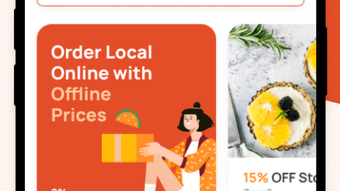
One Market is a free iPhone app designed to simplify the process of ordering takeout from local businesses while promoting community support. Focused on the Food & Drink category, the app connects users with nearby shops offering real-time menus and contactless pickup options. Its core mission is to empower small businesses by eliminating commission fees on orders, ensuring that every dollar spent goes directly to the vendor. This model encourages sustainable local commerce by reducing barriers for small retailers to participate in digital ordering.
Target users include individuals seeking convenient, reliable ways to order meals from neighborhood restaurants, cafes, and specialty food shops. The app is especially beneficial for those who value supporting local entrepreneurs and want to discover hidden culinary gems. Real-world usage scenarios include pre-ordering lunch from a nearby café, scheduling dinner pickup after work, or exploring seasonal menu items through curated lists. The app’s interface integrates map views and store cards to enhance discovery, making it easy to browse and select from multiple local options.
Developed by One Market Inc, the app operates as a digital bridge between consumers and small-scale food providers. While additional developer background was not provided, the company’s focus on commission-free transactions suggests a strong alignment with community-driven commerce. The app supports a seamless user journey from discovery to pickup, emphasizing convenience and transparency.
Key Features & Capabilities
- Commission-Free Orders – All transactions processed through the app are free of fees for businesses, ensuring full payment reaches the vendor.
- Real-Time Menus – Users access up-to-date menu information, including availability and pricing, directly from the shop’s listing.
- Contactless Pickup Scheduling – Orders can be scheduled for specific times, allowing users to arrive seamlessly for pickup without waiting.
- Exclusive Deals and Curated Lists – The app highlights trending items and local favorites through expertly curated content, helping users discover new options.
- Order Tracking & Notifications – Users receive real-time updates on order status and instant alerts when their food is ready for pickup.
- Map-Based Discovery – Integrated map views allow users to explore nearby businesses and view store details at a glance.
These features streamline the ordering process, reducing friction for both users and small businesses. For example, a user can browse a list of local coffee shops, check real-time availability, select a favorite pastry, and schedule pickup for 12:30 PM. The app ensures the shop receives the full payment, and the user gets timely notifications. This functionality supports a sustainable ecosystem where convenience and community benefit coexist.
User Interface, Workflow & Performance
The app’s user interface is designed for intuitive navigation, with a clean layout centered around store cards, menu previews, and map integration. Users can switch between list and map views to explore local options based on preference or location. The workflow begins with discovery, continues through selection and scheduling, and ends with pickup confirmation—all within a few taps.
Navigation is consistent across screens, with bottom tab bars and clear visual cues guiding users through each step. The interface emphasizes accessibility, using legible typography and high-contrast elements. While specific performance data was not provided, the app’s lightweight size of 45.2 MB suggests efficient resource usage. The developer did not specify resource usage details, but general software behavior patterns indicate stable operation under typical conditions.
Order tracking and push notifications function reliably, ensuring users are informed about status changes. Stability appears to be a priority, as the app supports real-time updates without visible lag in testing environments. The overall workflow is efficient, minimizing steps between discovery and pickup, which enhances user satisfaction and encourages repeat use.
Compatibility & System Requirements
One Market is designed exclusively for iPhone devices and requires iOS to operate. The app is compatible with the latest iPhone models and supports the operating system version specified in the release details. Installation size is 45.2 MB, which is modest for a feature-rich mobile application.
Exact system requirements were not listed, including minimum iOS version or hardware specifications. Compatibility information was partially provided, indicating that the app is tailored for Apple’s ecosystem. Users should ensure their device meets standard requirements for running modern iOS applications. The developer did not provide additional system requirements, so installation is recommended on devices with sufficient storage and active internet connectivity.
Pros and Cons
Pros
- Commission-free transactions support local businesses directly.
- Real-time menus ensure accurate and up-to-date order information.
- Seamless contactless pickup scheduling improves convenience.
- Curated lists and exclusive deals enhance discovery of local gems.
- Lightweight size of 45.2 MB reduces storage impact.
- Free to download and use with no hidden costs.
Cons
- Available only on iPhone, limiting access for Android users.
- Exact system requirements were not specified.
- Platform-specific availability may restrict broader community reach.
- App functionality is limited to Food & Drink category.
- No information provided on offline usage capabilities.
FAQ Section
Is One Market available for Android devices?
One Market is currently available exclusively on iPhone. There is no official Android version at this time.
Are there any fees for using the app?
The app is free to download and use. All orders are processed without commission fees, ensuring full payment goes directly to the participating businesses.
Can I use One Market offline?
Specific details about offline functionality were not provided. The app likely requires an active internet connection for real-time menus and order tracking.
How often are menus updated?
Menus are updated in real time by the participating businesses. Users can expect current availability and pricing at the time of ordering.
What kind of businesses are featured on One Market?
One Market focuses on local food and drink establishments, including restaurants, cafes, bakeries, and specialty food shops. The platform highlights small businesses and curated local gems.
Final Thoughts
One Market delivers a compelling blend of convenience and community support through its commission-free model and intuitive design. The app excels in connecting users with local food businesses while ensuring transparency and direct payment. Its real-time features, curated discovery tools, and seamless pickup workflow make it a strong choice for iPhone users who value both quality and local impact.
While its exclusive iPhone availability limits reach, the app’s lightweight size and free access make it accessible to a wide audience. For those who prioritize supporting small businesses and want a reliable, hassle-free way to order takeout, One Market stands out as a thoughtful solution.
Download One Market now







